
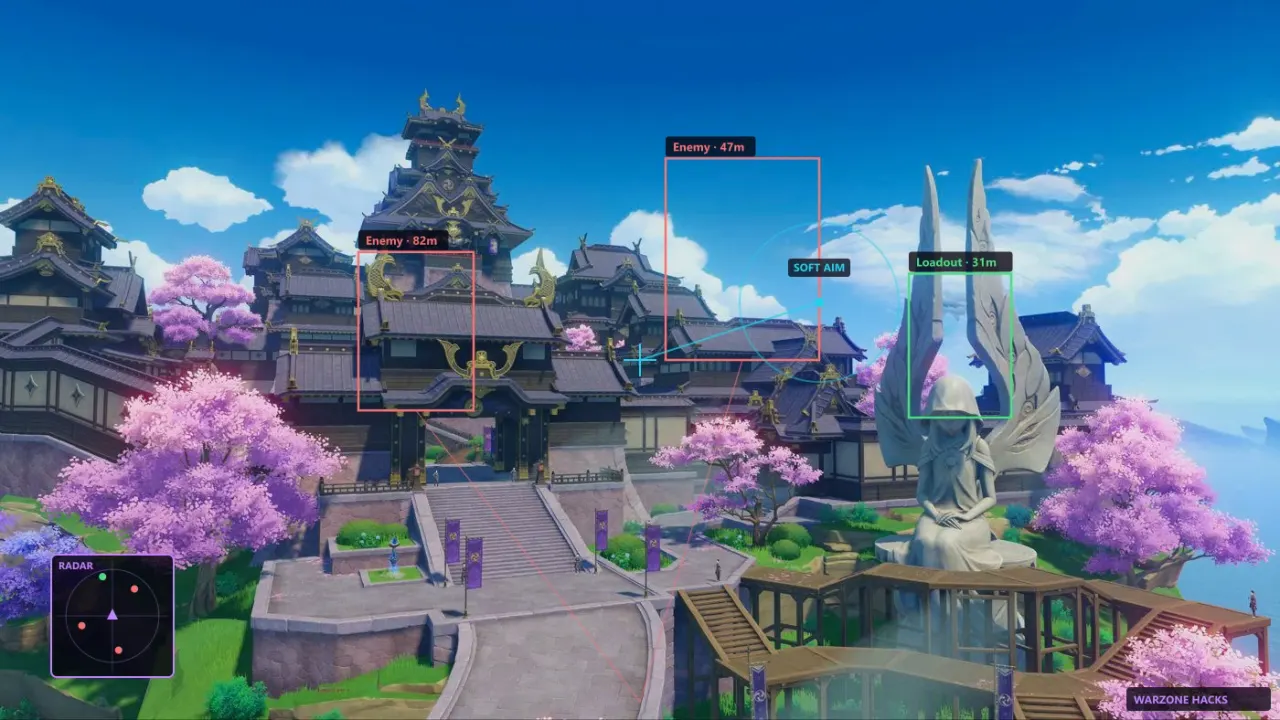
Overview
I play Genshin on my phone in bed. I play on PC at my desk with a keyboard and the overlay when I want to finish a region without a second monitor full of map pins. Same miHoYo account, same pity, same resin timer — different platforms, completely different cheat reality. Every week someone asks in Discord why there is no APK. This page is the answer without pretending Android will get Cloud DMA next patch.
The product on this site is Windows PC only: Enemy ESP, Chest ESP, Oculi ESP, Auto Loot, Instant Kill, Teleportation, No Cooldown, God Mode, Cloud DMA with HVCI on, Core Isolation on, TPM on, Secure Boot on. $35 for 31 days, $150 lifetime. Features, Buy Cheats, support on Discord and Telegram after purchase.
What mobile Genshin actually is
HoYoverse ships Genshin Impact on iOS and Android as a first-class client. Touch controls, lower graphics presets, same gacha economy. Anti-cheat and integrity checks exist on mobile too — different stack, same ToS hammer if they catch you modifying the app.
Mobile cheat searches peak on “Genshin hack APK,” “mod menu,” “unlimited primogems.” Those downloads are almost always malware, fake installers, or account phishers. They are not this overlay porting itself to ARM. No legitimate ESP wallhack from the PC loader runs on a Samsung phone without a Windows layer in between.
If you only own a phone, this purchase is not for you yet. Read ESP guide as theory; buy when you have a PC that meets the security requirements in Cloud DMA setup.
What PC Genshin enables
The PC client renders higher detail, supports keyboard-mouse, and pairs with the hardware ecosystem this loader expects: TPM chips, Secure Boot, Hyper-V-related isolation (HVCI, Core Isolation). Cloud DMA reads game memory through a path designed for that environment — not through a touch-screen mod floating over the app store build.
That is why chest ESP can tag boxes through terrain on PC and why no equivalent ships as a one-tap Android overlay here. Different OS, different attack surface, different development cost, different ban patterns HoYoverse may watch.
Comparison table: mobile vs this PC overlay
| Topic | Mobile Genshin | This PC overlay |
|-------|----------------|-----------------|
| Platform | iOS / Android | Windows 10 / 11 |
| ESP / wallhack | Not offered here | Chest, Oculi, Enemy ESP |
| Combat helpers | Not offered here | Instant Kill, No Cooldown, God Mode |
| Movement | Not offered here | Teleportation |
| Loot | Not offered here | Auto Loot |
| Security stack | N/A | Cloud DMA, HVCI, TPM, Secure Boot |
| Support | N/A | Discord / Telegram |
| Price | N/A | $35 / month, $150 lifetime |
Playing mobile for dailies and PC for exploration weekends is normal. Two installs, one account — watch login notifications if miHoYo emails you about new devices.
Emulators: the gray middle
Some players run Android emulators on PC — BlueStacks, LDPlayer, etc. This product does not target emulated mobile clients. Cloud DMA documentation assumes the native HoYoverse PC launcher. Emulator memory layouts differ. Support will not walk you through hack-on-hack stacks. Build or buy a real Windows gaming PC if you want the overlay.
Why searches lie about “mobile aimbot”
Genshin aimbot and ESP explained covers vocabulary. Mobile YouTube titles say aimbot for views. Genshin is PvE. Instant Kill on PC is not a touch-screen auto-headshot mod. Scam APK pages reuse the word because it converts.
Same for “mobile wallhack.” Chest ESP requires reading the live scene from the PC client this loader supports. A fake APK that draws random squares on screen is not chest ESP — it is a screenshot tool pretending.
PC hardware baseline (practical)
You do not need a $3000 rig. You need Windows with:
- Secure Boot enabled
- TPM 2.0 available
- HVCI / Memory Integrity on (Core Isolation)
- Enough RAM to run Genshin and the overlay without stutter
Laptop or desktop both work. Patch days stress older CPUs more than the overlay does. Update GPU drivers when HoYoverse updates Unity bits — unrelated to cheats, but crash reports spike on launch week anyway.
Account safety across devices
Using cheats on PC does not automatically flag mobile sessions. Using the same account on both is fine legally until HoYoverse bans the account entirely. A ban hits the account, not the device. Anti-cheat safety applies to PC behavior: co-op clips, teleport patterns, god mode stupidity.
Do not log into a scam “mod APK” with your main account on phone because you cheated safely on PC last night. Phishing is how accounts die more often than ESP.
What PC players gain for exploration
Chest ESP through Mondstadt to Natlan — chest routes. Natlan verticality — Natlan exploration. Ley line resin grind — ley line farm with Auto Loot. Quest backlog — quest routing with Teleportation. 100% tabs — exploration guide. None of that exists on mobile through this site.
FAQ snippets
**Can I buy on phone and install later on PC?** Checkout works from any browser. You install on Windows when ready. Keys and loader links arrive per order page instructions.
**Will mobile ever be supported?** No public roadmap promises mobile. Assume never unless an official post says otherwise.
**Does HoYoverse care which device I use?** They care about ToS violations on any client. PC is where this overlay operates.
Full list: FAQ.
Honest recommendation
Own a phone-only account and happy with slow exploration? Skip the purchase. Own a PC, tired of wiki maps, accept ToS risk? Buy once, set up Cloud DMA properly, start with ESP before combat toggles.
Mobile Genshin is for couch resin. PC Genshin with this overlay is for clearing map percentage before Snezhnaya — Snezhnaya prep — without burning vacation days. Platform choice is not moral judgment. It is hardware reality.
HoYoverse gives you both clients free. This site sells one Windows tool chain. Match the product to the machine on your desk, not the phone on your nightstand.
Switching between phone and PC on one account
Same login, same pity, same resin cap — but sessions are independent. Doing dailies on mobile and exploration on PC later that day is normal. Using cheats on PC does not install anything on your phone. It does mean your account carries whatever risk profile HoYoverse assigns from PC behavior. Keep co-op combat toggles off, read anti-cheat safety, and use teleport cheat discipline when you move from couch resin to desk exploration. Two devices, one account ledger miHoYo controls.