
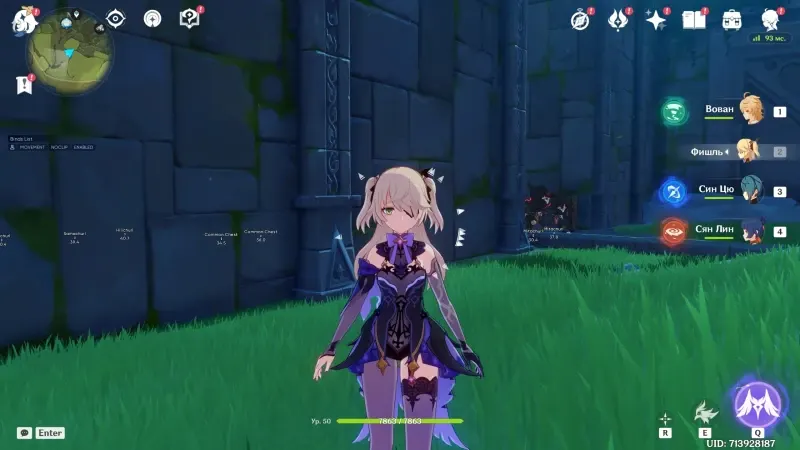
Overview
Nobody sells a Genshin cheat with a straight face and says you will never get banned. HoYoverse does not publish a rulebook with tick boxes. What they do publish is a Terms of Service that treats third-party tools as a violation, and what they actually enforce changes with patches, regions, and whatever mood the security team is in that month. This page is the safety talk I wish someone had given me before I turned on every toggle on day one and wondered why my account felt hot.
If you only want the feature list and pricing, the Genshin cheat features page has it. If you want checkout, use Buy Cheats. This article stays on risk: what the client can see, what players can see, and how to use ESP without treating Teyvat like a speedrun leaderboard.
What miHoYo and HoYoverse actually control
Genshin Impact runs on your machine, but the account lives on their servers. Resin, pity, inventory, quest flags — all server-side. That means a chest ESP overlay is not editing your save file. It is drawing on top of a scene you already loaded. HoYoverse still hates it. The ban is for the tool, not for the mora you picked up legally after walking there yourself.
The PC client has grown heavier over the years. Kernel-level anti-cheat talk shows up in patch notes and forum threads even when the game still feels like a single-player RPG with co-op doors. They do not need to prove you used a wallhack in court. They need a reason to flag an account. Repeated impossible movement, combat stats that do not match your character build, and reports from co-op partners all count.
Cloud DMA on this loader is built for people who refuse to turn off Windows security. HVCI on, Core Isolation on, TPM on, Secure Boot on — the setup described in the Cloud DMA setup guide is the opposite of the old “disable everything in BIOS” advice from 2019 forums. That does not make you invisible. It means you are not also fighting your own operating system while you play.
Risk tiers: not all toggles are equal
Think in tiers instead of a single “safe” switch.
**Lower attention:** Chest ESP, Oculi ESP, Auto Loot when you are already standing at the chest. You still travel at normal speed. You still take damage from fall height if you walk off a cliff. The game state matches what a dedicated explorer would produce, just faster.
**Medium attention:** Teleportation in short hops, Enemy ESP without instant kill, No Cooldown on movement gadgets you would have spammed anyway on a speedrun account. Short teleports to a chest on the same mountain are less loud than cross-map jumps. The teleport cheat guide goes into distance habits.
**High attention:** God Mode, Instant Kill on bosses in co-op, No Cooldown on burst cycles in domains where your clear time becomes a meme, teleporting across nations in seconds. Other players notice. Domain timers notice. Standing in a boss hitbox for five minutes without dying is a screenshot waiting to happen.
None of this is a guarantee of anything. “Lower attention” is not “no attention.” It is how people who still log in six months later tend to play.
What other players can report
Genshin is mostly solo, but co-op exists. Domain matchmaking exists. Someone in your world can see you one-shot a maguu kenki while their Hu Tao is still applying pyro. They can report you. They can clip you. They do not need to know what Cloud DMA means. They need to know you did not belong in that damage range.
Enemy ESP is useful for routing. It becomes obvious when you pre-position for an enemy behind a wall. If you are in someone else’s world, turn combat overlays off. Walk like a normal player. Loot like a normal player. The ESP guide covers filters; this page covers manners.
Server-side patterns people worry about
Forum posts love to speculate about exact thresholds. “More than 300 meters per second” or “more than X resin per hour.” Nobody outside HoYoverse knows the numbers, and they change. What is consistent is that patterns matter. Opening fifty chests in ten minutes across three regions looks different from clearing one area methodically. Farming ley lines with Instant Kill and Auto Loot for twelve hours straight looks different from doing your daily four.
Ley line farming is its own loop — see the ley line farm guide for the gameplay side. From a safety angle, treat resin spending like you would without a loader: take breaks, vary routes, do not broadcast in world chat that you are botting.
Cloud DMA and Windows security
This product is Windows PC only. Not mobile. Not console. The Cloud DMA path is for players who want the overlay without stripping Secure Boot to install a ten-year-old driver. That is a real feature, not marketing fluff. It also does not mean HoYoverse cannot detect behavior.
Read the FAQ before you buy if you are hoping for a refund because you got banned after running god mode in a full co-op domain. The FAQ is blunt on purpose. Third-party tools violate ToS. You accept that when you pay $35 for 31 days or $150 lifetime.
Support after purchase is Discord and Telegram from the order page. Use it for loader issues, patch day questions, and toggle explanations — not for “make my ban go away” tickets.
Practical habits that actually help
Walk sometimes. Use chest ESP to plan a path, then run it on foot for half the session. Teleport the boring elevation gaps, not every five meters. Keep Instant Kill for overworld elites when you are alone. Skip it in Spiral Abyss if you care about your profile times looking human.
Update the loader when the site says to. Launching yesterday’s build into today’s client is how people get crashes, not necessarily how they get banned, but crashes make you retry weird things in panic mode.
Do not stream with overlays visible. Do not post clips with enemy boxes through walls. Do not tell your co-op partner to “watch this” and then no-cooldown your way through a consecrated beast. Boring is underrated.
What this loader does not promise
No undetected claims. No no-ban guarantees. No fake review quotes from “Verified Traveler #4821.” HoYoverse can flag accounts. They can do it months later. They can do it without explaining why in an email you can forward to a lawyer.
What the product does offer is a defined set of tools — Enemy ESP, Chest ESP, Oculi ESP, Auto Loot, Instant Kill, Teleportation, No Cooldown, God Mode — on a Cloud DMA stack that respects modern Windows security settings. You choose how loud you play.
Where to go next
For chest routing without turning every region into a speedrun, read Mondstadt to Natlan chest routes and Natlan exploration with ESP. For movement specifically, teleport cheat setup. For the full toggle list, /features/.
Genshin anti-cheat safety is not a single setting. It is how you use the tools, who watches you use them, and whether you treat HoYoverse like an opponent or like a landlord you are trying not to wake up. Play like the landlord has cameras in the hallway. Because they might.